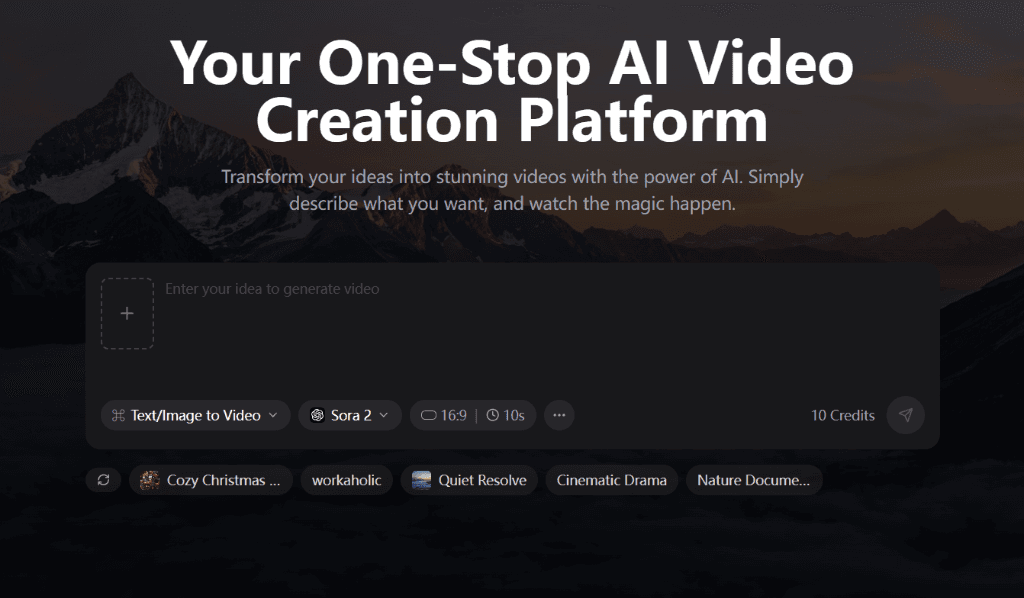
Transform Your Ideas Into Stunning Videos

Create professional AI-generated videos in minutes. From text to video, image to video, or enhance existing footage.

Lightning Fast
Easy to Use
AI-Powered
156 Credits

Free credits to start • No credit card required

See It in Action

Created With lifelikegenAmazing videos, generated by AI

Explore stunning videos created by our community using AI-powered generation. From cinematic landscapes to product animations.

Product Motion Demo
Text to Video

Product Motion Demo

Turn a single product image into a short, polished launch clip.

Portrait Animation
Image to Video

Portrait Animation

Add natural camera motion and subtle expression changes to portraits.

Brand Story Frame
AI Creative

Brand Story Frame

Create short cinematic brand visuals from still assets and copy.

Nature Scene Prompt
Text to Video

Nature Scene Prompt

Generate atmospheric landscapes for ads, moodboards, and social clips.

Architecture Flythrough
Character

Architecture Flythrough

Prototype camera movement and scene pacing for future-city concepts.

Social Ad Variant
Text to Video

Social Ad Variant

Produce multiple short-form creative variations for paid campaigns.

Ready to create your own masterpiece?

Everything You NeedPowerful features to create amazing videos

Discover the tools and features that make video creation easy and fun

Text to Video

Text to Video

Transform your text prompts into stunning videos using advanced AI models

Image to Video

Image to Video

Animate your images and bring them to life with AI video generation

Video Enhancement

Video Enhancement

Upscale, enhance, and extend your existing videos with AI

Lightning Fast

Generate professional videos in just 2-5 minutes

Secure & Private

Your data is encrypted and videos are stored securely

Real-time Updates

Track your video generation progress in real-time

Ready to transform your ideas into videos?

Simple Process

How It WorksCreate your video in 4 simple steps

Get started in minutes with our intuitive video creation workflow

01

Describe Your Video

Enter a detailed text prompt describing the video you want to create

Average time:30s
02

Upload Reference

Optionally add a reference image to guide the AI (optional)

03

AI Generates

Our AI processes your request and creates a unique video

Generation time:2min
04

Download & Share

Get your HD video and share it anywhere you want

Max quality:1080p
No credit card required • 50 free credits to start

Why lifelikegen is built for practical AI video production

Many AI video sites stop at a headline and a prompt box. lifelikegen is structured around real video workflows: text-to-video for ideation, image-to-video for asset animation, and reference-to-video for controlled iterations. The goal is simple: help creators, marketers, and product teams go from idea to usable short-form video without stitching together multiple tools.

From prompt testing to production-ready variations

When you create AI video content at volume, the hard part is not just generation. It is quickly comparing models, durations, aspect ratios, and motion styles without losing the original creative direction. lifelikegen keeps those decisions in one workflow so you can test faster and keep output quality consistent.

That matters for landing pages, paid ads, UGC-style creatives, app demos, and product storytelling. Instead of treating each generation like a one-off experiment, you can turn one concept into multiple usable variants for different channels.

Three workflows that match how teams actually work

Text-to-video is useful when the concept starts from copy, scripts, or creative direction. Image-to-video is useful when you already have product photos, key art, frames, or design comps and want to add motion. Reference-to-video is useful when you want a new variation while keeping timing, pacing, or visual intent closer to an existing clip.

Because these workflows live inside the same product, teams can move from concept exploration to asset refinement without jumping between disconnected tools.

Model choice should be intentional, not guesswork

Different models are better at different jobs. Some are stronger for prompt-led cinematic scenes. Others are better for image-driven motion or flexible aspect ratio output. lifelikegen surfaces multiple models in the same environment so you can choose based on the job instead of being locked into a single generation style.

That makes budgeting easier too. Credit use changes based on model and output settings, so knowing which workflow fits the task helps you spend less time and fewer credits getting to a usable result.

Choose the right workflow for the job

WorkflowBest forTypical output
Text to VideoConcepts, ads, storyboards, scene ideationPrompt-led short videos
Image to VideoProduct shots, portraits, static assets, artworkAnimated stills with controlled motion
Reference to VideoReworks, style changes, motion iterationsNew versions of an existing clip

A quick guide to the available models

Limited Time Offer

Ready to Create Amazing Videos?Join thousands of creators already using lifelikegen

Start creating professional videos today with our free trial

  • 50 free credits to start
  • No credit card required
  • Cancel anytime
  • 24/7 customer support
Dashboard Preview

Frequently Asked Questions

Everything you need to know about lifelikegen

Still have questions? Contact us atsupport@lifelikegen.com